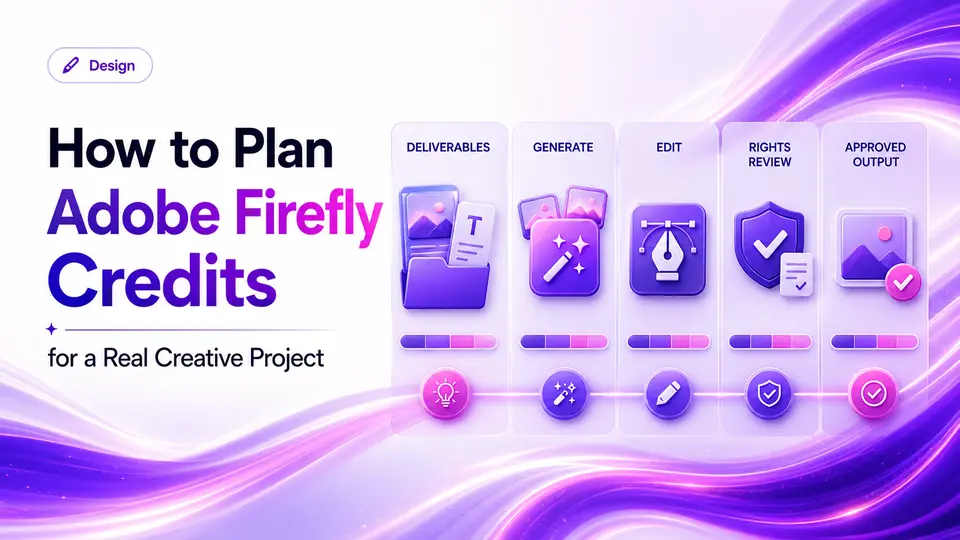
A creative director needs three visual directions for a campaign, a set of background variations, and a short motion concept for review. The first generated image arrives quickly, but the finished job still requires dozens of attempts, source-image checks, text corrections, brand review, and editing in the team's established production tools.
Adobe Firefly should be evaluated across that entire chain. A plan is useful when its current generation and editing capabilities fit the media being produced, its allowance survives normal iteration, and the resulting assets move cleanly into the rest of the workflow. The plan name alone does not answer those questions, and an attractive demonstration does not reveal the credits, integrations, account ownership, or rights review a real project requires.
The short answer
- Match the Firefly tier to the type and volume of media you expect to generate.
- Standard and premium generation can consume allowances differently.
- Review output rights, source assets, and account ownership for every real project.
Map Firefly to a real creative job
Adobe Firefly can support image, video, audio, and editing workflows, but a buyer should begin with one concrete production need. Examples include concept images, background changes, campaign variations, short generated clips, or assets that move into another Adobe application. Define the output, volume, deadline, and review standard.
Run a representative project before committing. Count how many generations reach a usable result, how much manual editing remains, and whether the output integrates cleanly with the rest of your process. A Firefly plan earns its cost through the whole workflow, not the novelty of a first prompt.
Understand plans, credits, and changing allowances
Adobe's current plan page distinguishes multiple Firefly tiers and describes generative credits for certain premium features. The number of credits and the way different models consume them can change. Avoid choosing only by the monthly total; estimate the kind and quantity of media you intend to produce.
Check whether standard generations, partner models, video, audio, or add-ons use different allowances. Note whether unused credits carry forward and what happens after the included amount is used. Adobe's current plan table is the source of truth at decision time.
A Firefly plan earns its cost through the whole workflow, not the novelty of a first prompt.
Taploop decision principle
Budget a complete project before choosing a tier
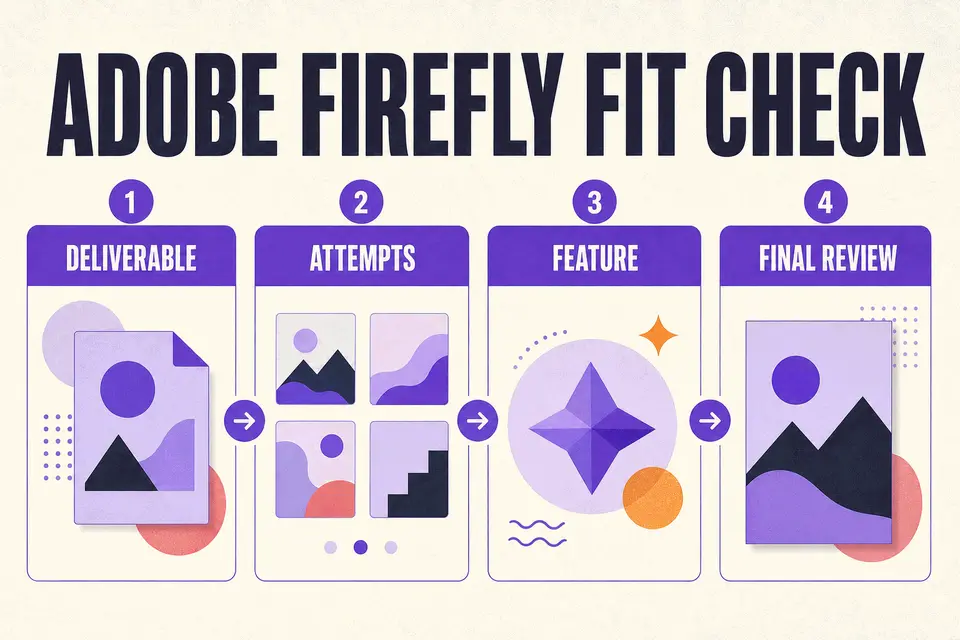
List the deliverables first: for example, three concept directions, several aspect-ratio adaptations, one approved hero, and a short motion test. For each item, estimate the number of initial generations, variations, revisions, upscales, or feature changes normally required. Add a low, expected, and high-iteration case. This makes the allowance question concrete without pretending that one credit always equals one finished asset.
Run a representative brief and record which model or feature was used, the source material supplied, the attempts discarded, and the manual edits required afterward. Then compare that project record with Adobe's current plan table. If the production depends on another Adobe application, price and evaluate that dependency separately unless the selected tier explicitly includes it. Recheck the provider documentation whenever the media mix or model changes.
- Count rejected generations and alternate directions, not only approved files.
- Separate image, video, audio, partner-model, and editing needs where allowances differ.
- Include downstream retouching, typography, color, sound, and approval time.
- Record the exact tier and feature assumptions used in the estimate.
Review the Adobe account, integrations, and output rights
Confirm the Adobe ID that should own the plan and whether your workflow also depends on another Creative Cloud application. A Firefly subscription should not be assumed to include every Adobe product. Teams should also verify who owns source files, libraries, and generated assets.
Generated output still requires review. Inspect factual details, text, recognizable people, trademarks, source-image permissions, and the rules of the channel where the work will appear. Read Adobe's current terms for the model and feature used rather than treating all generated media as identical.
- Document the model, source assets, and prompt used for important work.
- Check client and employer policies before uploading protected material.
- Inspect outputs for resemblance, artifacts, and inaccurate details.
- Keep the final human approval separate from generation.
Recognize when Firefly is not the best fit
Firefly may be a weak purchase when generation is occasional, the current free allowance is sufficient, or the team already relies on another tool for its most expensive creative step. It may also be incomplete as a standalone purchase when the finished work requires advanced layout, editing, motion, or asset-management capabilities located elsewhere in the production stack.
A buyer should also pause when the intended use needs rights, privacy, or model behavior that has not been verified for the exact feature. Generated media still needs human review for factual errors, unwanted resemblance, recognizable people, trademarks, and source permissions. If the project cannot tolerate those uncertainties or lacks time for post-production, the practical answer may be a different process rather than a larger generation allowance.
Compare creative fit and check the current offer
Midjourney emphasizes visual exploration, while Canva Pro emphasizes layout and repeatable content production. Firefly may be a closer fit when Adobe integration or its particular generation tools matter. Compare the workflow and rights questions, not just sample images.
Before checking current Adobe Firefly offer details, verify the exact tier, included credits, Adobe account path, represented term, region, renewal behavior, final total, and remedy terms. If the offer does not name the tier or allowance, it is not specific enough for a confident purchase.
The verdict
Verdict: best judged as part of an Adobe-centered production system
Adobe Firefly is a strong candidate when its current tools address a repeated creative job and the outputs belong in an Adobe-centered workflow. It is less compelling for occasional experimentation or when another application still performs nearly all of the finishing work. A representative project budget should show how many usable deliverables emerge after normal attempts, editing, rights review, and approval.
If the workflow fits, verify the current Firefly tier directly with Adobe and then inspect the live Taploop offer. The exact tier, included allowance, Adobe account path, represented term, region, renewal behavior, final total, access method, and remedy terms should be explicit. Do not infer every Creative Cloud application, a fixed amount of finished media, commercial clearance, or current availability from the Firefly name alone.
Product guide
Need the complete Adobe Firefly guide?
Review product capabilities, platforms, official sources, and the current Taploop buying path in one place.
Compare before you choose
These comparison and category pages help you review nearby products and tradeoffs before choosing.
Continue with a related workflow
These nearby articles cover other practical questions about adobe firefly credit planning workflow that you may want to explore next.

Ready to review Adobe Firefly?
Check the product page for the currently published plan, term, account, region, renewal, price, and remedy details. Purchase controls appear only when the required offer data and inventory are present.
Frequently asked questions
Do all Adobe Firefly features use credits in the same way?
No. Adobe's current plan table distinguishes different uses and allowances. Review the exact feature and model needed for the project, then estimate retries and variations as well as final outputs. The provider may change plan design or consumption rules after this guide's review date.
Does a Firefly plan include every Creative Cloud app?
Do not assume that it does. Confirm the applications, storage, integrations, and other benefits explicitly named in the selected tier. If the workflow depends on another Adobe application, evaluate that requirement separately unless the current offer clearly includes it.
Can Adobe Firefly output be used commercially?
Review Adobe's current terms for the exact model, feature, account, and intended use. Commercial work still requires checks for source-image permissions, trademarks, recognizable people, factual accuracy, client policy, and the rules of the destination channel. A generated output should not be treated as automatically cleared.
Do unused Firefly credits carry forward?
Credit treatment can depend on the current plan and provider rules. Check Adobe's official plan and billing documentation on the decision date rather than relying on an older article. Build the purchase case around a realistic monthly project, not an assumption that unused allowance will remain available indefinitely.
What should a Taploop Firefly offer identify?
It should identify the exact tier, credits or allowance, Adobe account path, term, region, renewal treatment, final total, and remedy terms. Purchase controls should appear only when the required offer data and inventory are present. A generic Firefly label is not specific enough for a confident purchase.
Official sources reviewed
Product plans change. These provider sources were checked on July 18, 2026; review them again when you make a purchase decision.