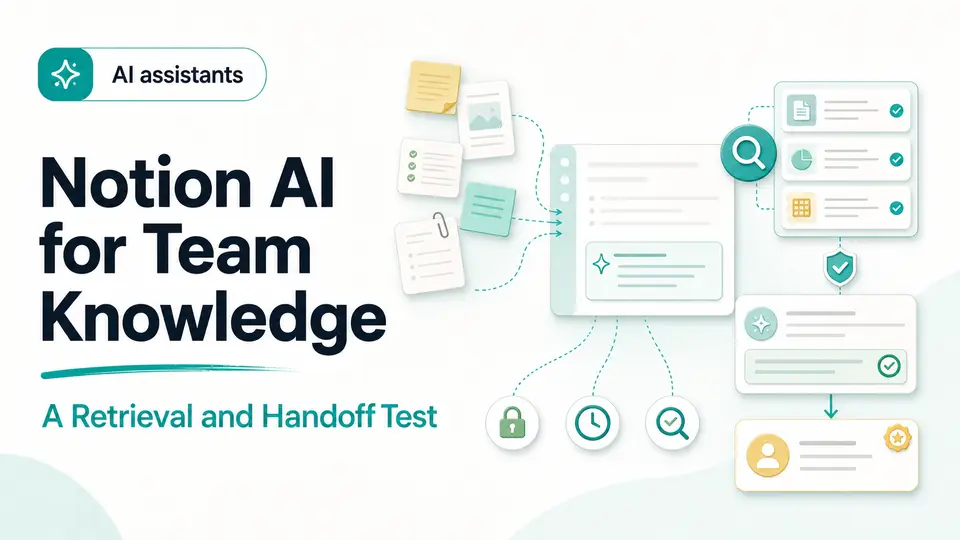
A new project manager asks how customer refunds are approved and receives three plausible answers from an old handbook, a recent launch page, and a meeting note. Finding text is not the hard part. The hard part is identifying which source governs, whether the page is current, who owns the decision, and what the manager should do next without repeating the same investigation tomorrow.
Notion AI is best evaluated as a knowledge-retrieval layer inside an actively governed workspace. The useful question is not whether it can produce a fluent summary. It is whether a team can ask a recurring operational question, inspect the cited evidence, respect permissions, notice stale material, assign an owner, and preserve a handoff that improves the next answer.
The short answer
- Test recurring questions against a curated source set with owners and review dates.
- Inspect citations, permissions, conflicts, and page freshness before acting on an answer.
- Measure whether the workflow produces a clear handoff and improves the underlying workspace.
Prepare a governed source set before testing
Choose one operational domain such as time-off policy, customer escalation, launch readiness, or onboarding. Gather the pages that a colleague would reasonably consult and label each one with an owner, status, and review date. Archive or clearly mark superseded material. The test should expose realistic ambiguity, but it should not ask an assistant to repair a workspace whose team cannot identify any authoritative source.
Write five questions with known answers and two questions that should produce uncertainty. Include a direct lookup, a comparison across pages, a request that needs a current date, a question whose answer varies by role, and a conflict between an old and new page. Record the expected source and acceptable action for each question. This benchmark makes traceability measurable and prevents an eloquent response from receiving credit merely because it sounds reasonable.
- Name an owner and review date for every governing page.
- Include both easy lookups and deliberate conflicts in the benchmark.
- Define what the assistant should do when evidence is missing.
- Remove unnecessary personal or confidential data from the test set.
Ask questions that resemble real work
Use the phrasing that employees actually bring to a search box: what applies to me, what changed, who approves this, and where is the latest template? Keep each question tied to a decision or next action. A broad request for a summary can hide whether the system retrieved the right evidence, while a practical question forces the answer to identify scope, exceptions, ownership, and any information the user still needs.
Run the same question from accounts with different permissions when the workspace contains role-restricted information. Notion states that its AI features honor existing permissions, but the team should still verify the behavior in its own configuration and connectors. The expected result is not that every user receives identical text; it is that nobody receives information outside their access and that an incomplete answer is clearly limited rather than filled with an unsupported guess.
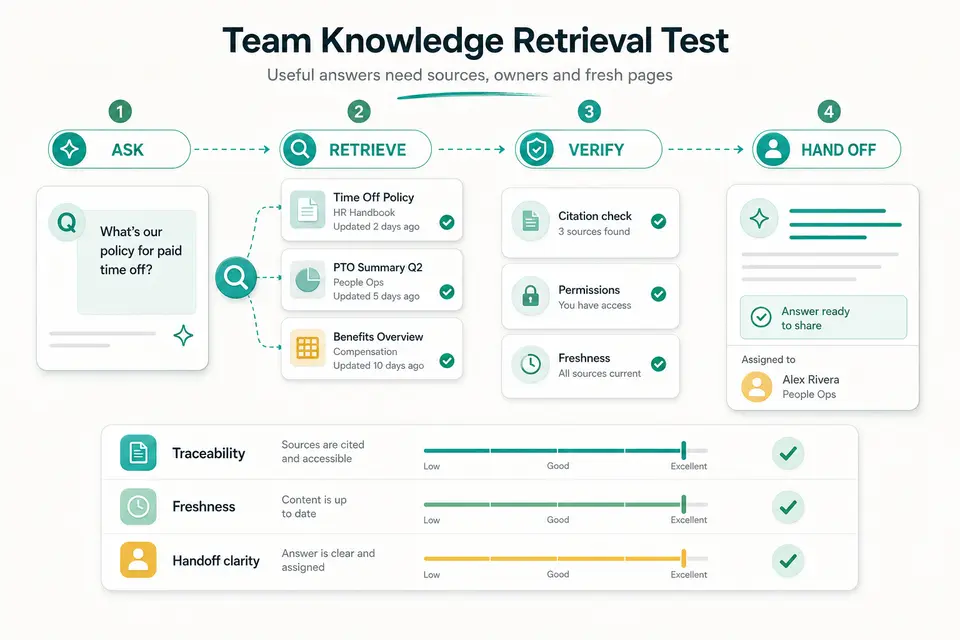
A knowledge answer is dependable only when the team can see where it came from, who owns it, and when it should be reviewed again.
Taploop decision principle
Inspect sources, conflicts, and freshness
Open the citations for every material claim. Confirm that the cited passage supports the sentence, that the page belongs to the right team and jurisdiction, and that its review date is still valid. When two pages conflict, the answer should surface the conflict and direct the user to an owner instead of silently selecting the more recent-looking wording. Record missed sources, irrelevant citations, and statements that have no visible support.
Notion's current Enterprise Search documentation describes results that can draw from a workspace, connected applications, and the web, with sources cited for workspace and connector answers. Scope the search deliberately. A policy question may require only verified internal pages, while research may benefit from external sources. Mixing the web into an internal procedure without a clear boundary can make a polished answer less authoritative, not more.
- Open every source used for a consequential instruction.
- Check owner, status, jurisdiction, and last-review date.
- Flag conflicts instead of allowing the assistant to choose invisibly.
- Limit web or connector scope when the question has an internal authority.
Turn the answer into a complete handoff
A useful response should end with a decision-ready artifact: the concise answer, the sources, the unresolved question, the named owner, and the next review date. Ask a colleague who did not run the search to use the handoff. Measure whether that person can understand the result, reach the source, and take the next step without opening a new investigation or relying on private context from the original conversation.
Feed discoveries back into the workspace. If the test finds duplicate policies, unclear ownership, or missing dates, repair those pages and repeat the benchmark. This is where a knowledge assistant can create compounding value: not only by answering faster, but by revealing structural problems that make every future search unreliable. Count those repairs separately from response time so the initial cleanup investment is visible.
Review plan scope, security, and retention
Notion currently says core AI capabilities are included with Business and Enterprise plans, while other plans receive limited trial usage. It also documents Enterprise Search, meeting notes, agents, and connectors as capabilities whose availability and consumption can vary. Check the current provider pages for the workspace, region, feature, and billing model you intend to use; an old standalone add-on description may no longer represent the live plan structure.
Notion's AI security documentation says customer data is not used to train models by default and describes permission handling, subprocessors, encryption, embeddings, and different retention behavior by plan and feature. Review those details against your organization's requirements before importing sensitive knowledge or connecting another system. Pay particular attention to web search, external agents, connector scope, and administrator controls because they can expand the path through which context is processed.
Score value and separate it from offer fit
Score traceability, freshness, permission behavior, handoff clarity, correction rate, and verified time saved. Compare those results with ordinary workspace search and the team's existing documentation process. Notion AI may be valuable when knowledge already lives in governed pages and connected tools, but it cannot compensate for absent owners, contradictory policies, or content that nobody maintains. In that case, fix the information system before paying for a more fluent interface to it.
Treat the Taploop product page as a separate offer check. Confirm the represented plan, workspace and account path, eligibility, term, region, renewal treatment, final total, and remedy details. Notion plan access can be workspace-level and feature availability can change, so a generic Notion AI label is not enough. If the offer cannot identify a current entitlement that fits the intended workspace, wait or use the provider's official route.
The verdict
Verdict: strongest in a workspace that already has owners and sources
Notion AI is easiest to justify when a team already keeps important knowledge in pages with clear access, ownership, and review practices. The retrieval test should show that employees find the right sources faster, notice conflicts, and hand decisions to the right person without losing traceability. If the workspace is mostly stale fragments, the first investment should be governance rather than an assumption that AI will infer the missing operating model.
When the benchmark is positive, confirm the current Business or Enterprise plan path, applicable AI features, connector scope, security controls, account ownership, and live billing terms. Then review any Taploop offer for exact entitlement and remedy details. The decision is sound only when the workflow evidence and the offer facts describe the same workspace, plan, and operating boundary.
Product guide
Need the complete Notion AI guide?
Review product capabilities, platforms, official sources, and the current Taploop buying path in one place.
Compare before you choose
These comparison and category pages help you review nearby products and tradeoffs before choosing.
Continue with a related workflow
These nearby articles cover other practical questions about notion ai team knowledge retrieval test that you may want to explore next.

Ready to review Notion AI?
Check the product page for the currently published plan, term, account, region, renewal, price, and remedy details. Purchase controls appear only when the required offer data and inventory are present.
Frequently asked questions
What should I test first with Notion AI?
Choose a recurring team question with a known answer and several plausible source pages. Label the governing page, owner, status, and review date, then test direct lookup, conflict handling, permissions, and a final handoff. Include at least one question where the correct behavior is to admit uncertainty and refer the user to an owner.
Does Notion AI respect page permissions?
Notion's current documentation says its AI features honor existing permissions. Verify that behavior with representative accounts and every connector used in your workspace. A user with less access may receive a narrower answer, which is appropriate; the important controls are that restricted information is not exposed and missing context is not replaced by an unsupported guess.
Which Notion plans include ongoing AI access?
Notion currently describes core AI capabilities as included with Business and Enterprise plans, while Free and Plus workspaces receive limited trial usage. Plan availability, credits, agents, and feature scope can change. Check the official pricing and help pages for the exact workspace and decision date rather than relying on an older add-on description.
Can Notion AI fix a disorganized knowledge base?
It can help reveal duplicates, missing owners, stale pages, and unanswered questions, but the team must still decide which source governs and maintain it. Measure the cleanup work separately. A retrieval layer can amplify a well-run knowledge system; it can also make contradictory material sound more confident when governance is absent.
What should a Taploop Notion AI offer specify?
Look for the represented workspace plan, included AI entitlement, intended account or workspace, eligibility, term, region, renewal treatment, final total, access method, and remedy terms. Purchase controls should appear only when required offer data and inventory are present. Do not infer Business or Enterprise AI access from a generic Notion product name.
Official sources reviewed
Product plans change. These provider sources were checked on July 19, 2026; review them again when you make a purchase decision.